medix: Healthcare Made Easy2.6.8
Publisher Description

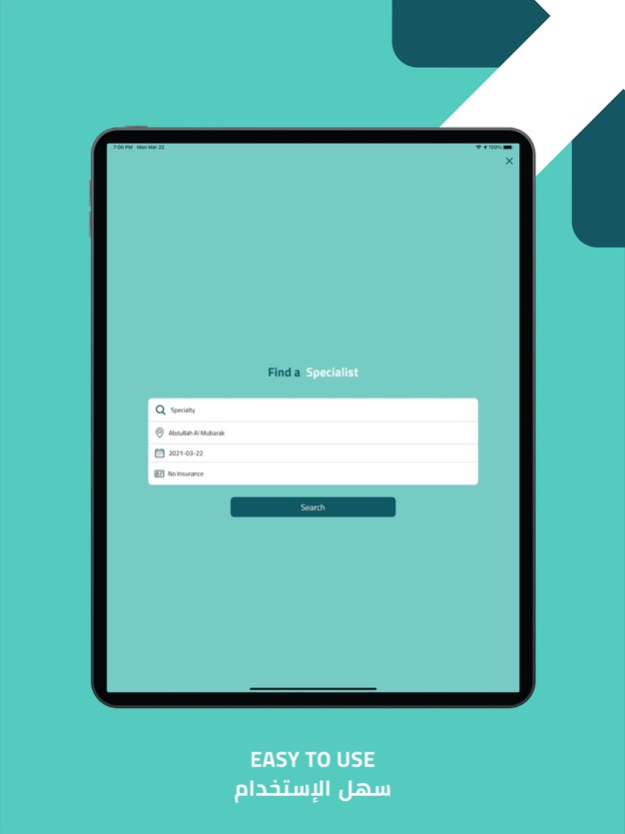


Book appointments online with medix. Access last minute bookings with the most popular doctors and healthcare clinics without the wait. Through the medix mobile application, you will be able to make an appointment with your doctor in an easy and quick way from the comfort of your home, at your desk or on-the-move. Select a doctor, a specialty, location, date and insurance. With our comprehensive search engine feature, easily find the doctor or clinic you need based off symptoms, location, and availability. Use our filter to view the clinics that accept your specific insurance.
• Instantly book with your local GP, dentist, psychologist, dietitian, and more.
• See the availability of doctors instantly - pick a date and time that best works for you.
• View and receive reminders of your upcoming appointments.
• Conveniently reschedule your appointment if plans change.
• Book a range of appointments such as dental check ups, skin checks, vaccinations and more.
• Search and filter healthcare providers based on your needs.
Aug 3, 2022
Version 2.6.8
Bug fixes and improvements
About medix: Healthcare Made Easy
The company that develops medix: Healthcare Made Easy is Bioplan Technologies Company for Design and Management of Websites. The latest version released by its developer is 2.6.8.
To install medix: Healthcare Made Easy on your iOS device, just click the green Continue To App button above to start the installation process. The app is listed on our website since 2022-08-03 and was downloaded 1 times. We have already checked if the download link is safe, however for your own protection we recommend that you scan the downloaded app with your antivirus. Your antivirus may detect the medix: Healthcare Made Easy as malware if the download link is broken.
How to install medix: Healthcare Made Easy on your iOS device:
- Click on the Continue To App button on our website. This will redirect you to the App Store.
- Once the medix: Healthcare Made Easy is shown in the iTunes listing of your iOS device, you can start its download and installation. Tap on the GET button to the right of the app to start downloading it.
- If you are not logged-in the iOS appstore app, you'll be prompted for your your Apple ID and/or password.
- After medix: Healthcare Made Easy is downloaded, you'll see an INSTALL button to the right. Tap on it to start the actual installation of the iOS app.
- Once installation is finished you can tap on the OPEN button to start it. Its icon will also be added to your device home screen.
Program Details
General
System requirements
Download information
Pricing
Version History
version 2.6.8
posted on 2022-08-03
Aug 3, 2022 Version 2.6.8
Bug fixes and improvements
version 2.5.3
posted on 2022-01-11
Jan 11, 2022 Version 2.5.3
- bugs fixed
version 2.3.0
posted on 2021-10-04
Oct 4, 2021 Version 2.3.0
-Bug Fixes
-UI/UX Fixes
